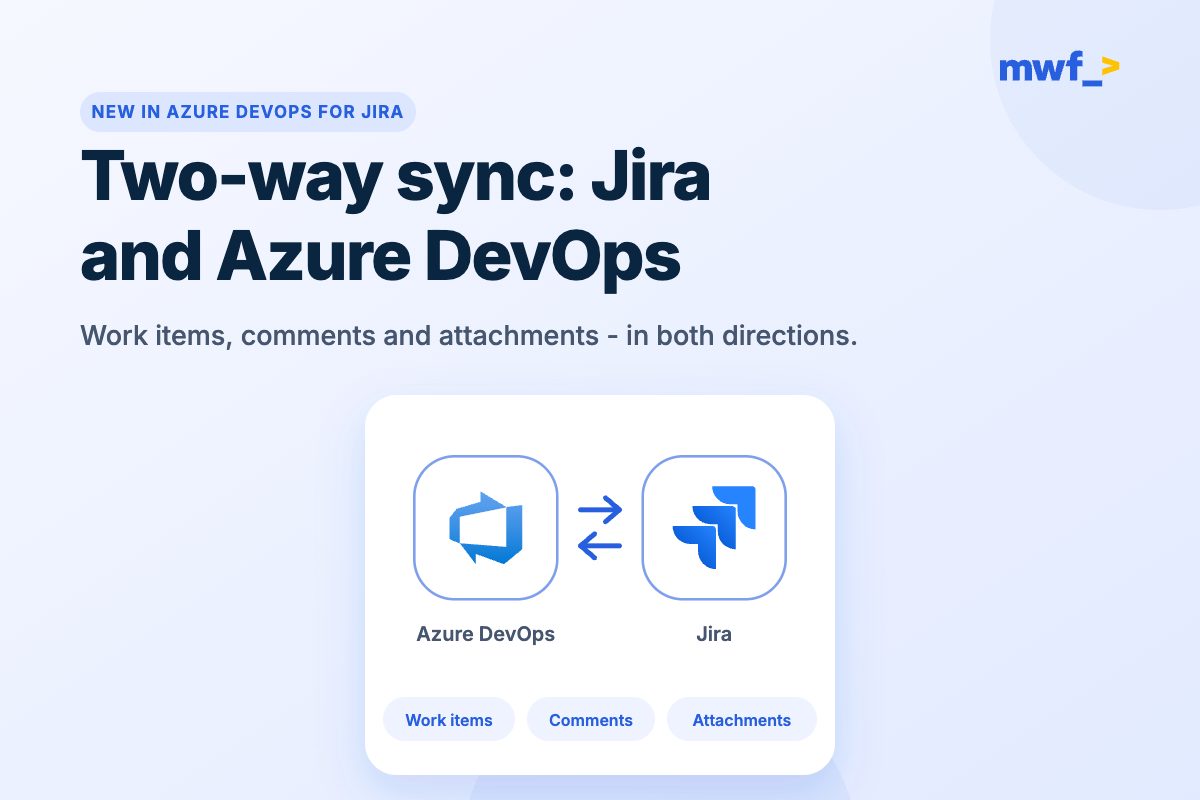












































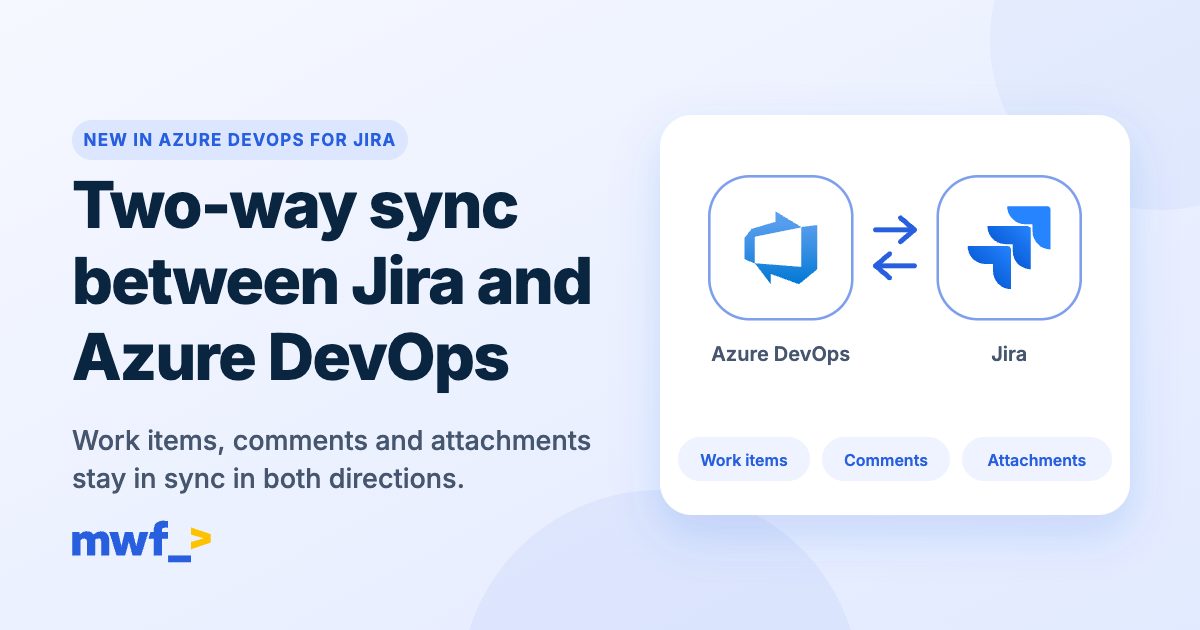
It's been the most requested feature in Azure DevOps for Jira, and it's now live: two-way synchronization between Jira and Azure DevOps. Work items, comments and attachments now stay in sync in both directions at once.
Change a work item in Jira and Azure DevOps updates on its own. Change it in Azure DevOps and Jira updates. No copy-pasting, no double entry, no duplicate work items and no update loops.
Start your free trial on the Atlassian Marketplace →
What stays in sync
- Work items and fields: create and update on either side. You decide which work item types and fields map to each other, in each direction.
- Status changes: move an issue in Jira and the Azure DevOps work item follows, and the other way round.
- Comments: one conversation, whichever tool people reply from.
- Attachments: new files added on either side are copied across (up to 25 MB per file).
- Assignees: map Jira users to Azure DevOps users so ownership carries over.
Why two-way sync matters
Most teams that run both tools end up with the same split: developers live in Azure DevOps, while product managers, support and the business live in Jira. One-way sync helps, but the moment someone updates the "other" side, the two drift apart and somebody has to fix it by hand.
With two-way sync, each team keeps working in the tool it prefers and the data stays the same everywhere:
- Product managers create and prioritize in Jira, and developers pick the work up in Azure DevOps.
- Developers update status and add comments in Azure DevOps, and stakeholders see it in Jira right away.
- Screenshots, logs and specs attached on one side are there on the other.
If you're still deciding how to connect the two tools, our guide to the top 4 ways to integrate Jira with Azure DevOps compares the main approaches.
See it on video
Watch work items sync between Jira and Azure DevOps in both directions:
Then follow the setup, step by step:
How to set up two-way sync
Setup takes a few minutes and lives in Jira admin settings: Marketplace apps → Azure DevOps → Work Items Sync.
Step 1. Create a two-way integration
On the Integrations tab, select Create new integration and choose Both directions. Enter your Azure DevOps organization name and a Personal Access Token with Work Items: Read & Write and Project and Team: Read & Write scopes, pick your Jira spaces, test the connection and save.
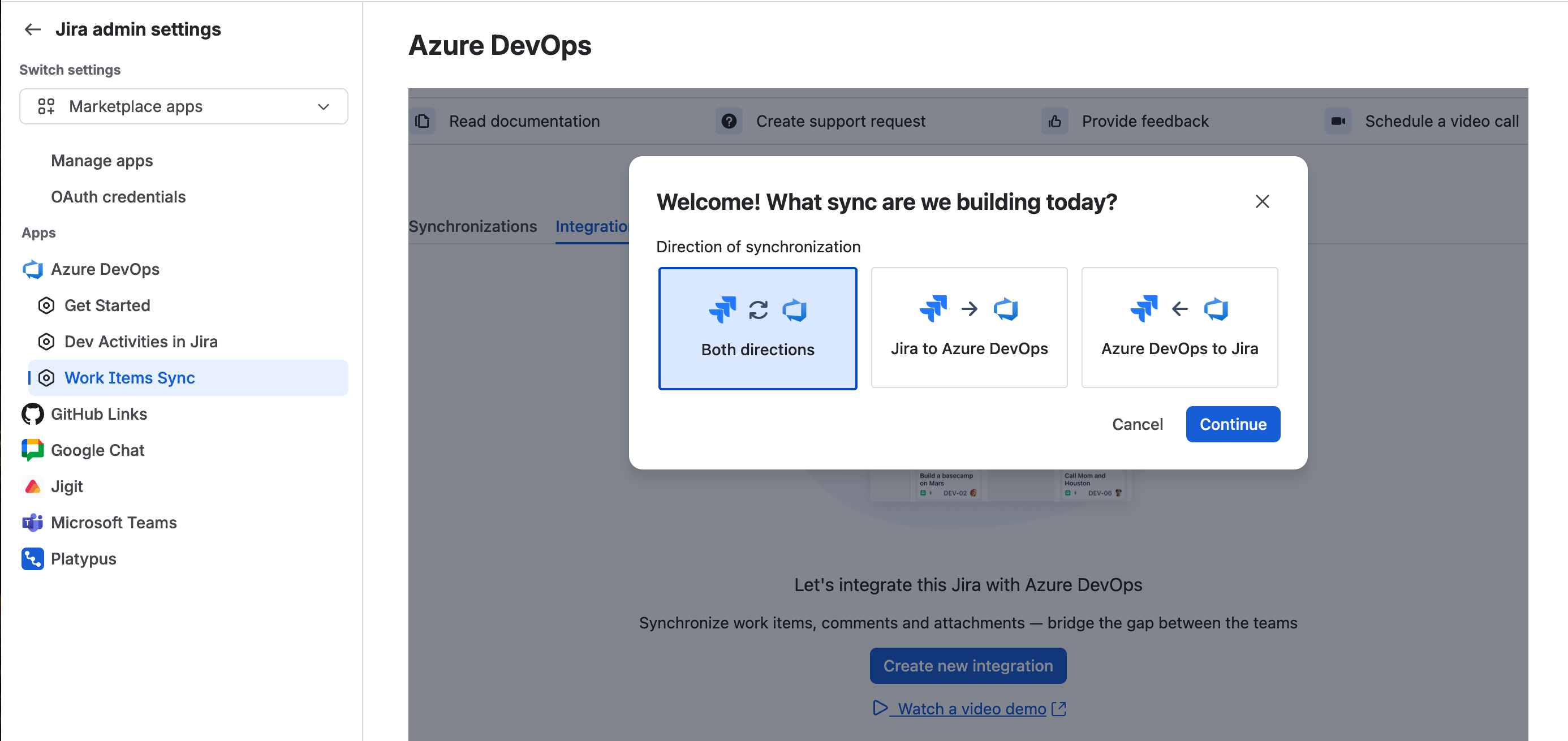
Step 2. Start a new synchronization
On the Synchronizations tab, select Create new synchronization, choose Both directions, then pick the Jira space and the Azure DevOps project you want to keep in sync.
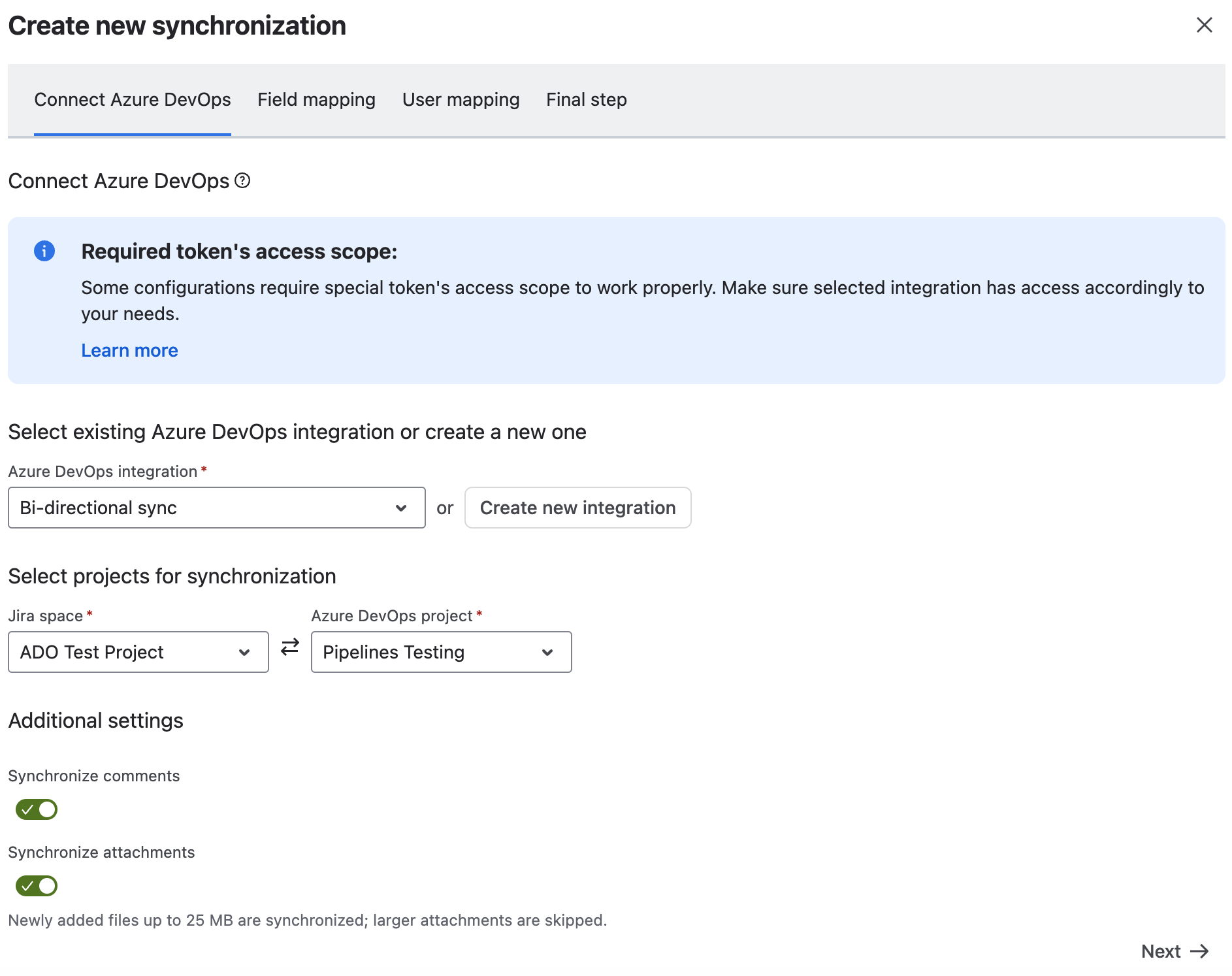
Step 3. Map fields in both directions
Because changes can start on either side, you get two mapping tables: Jira → Azure DevOps and Azure DevOps → Jira. Map work item types, fields and values for each. The Mirror from other direction option fills in a sensible starting point for the reverse direction, and the app blocks contradictory mappings so you can't create a value loop by accident.
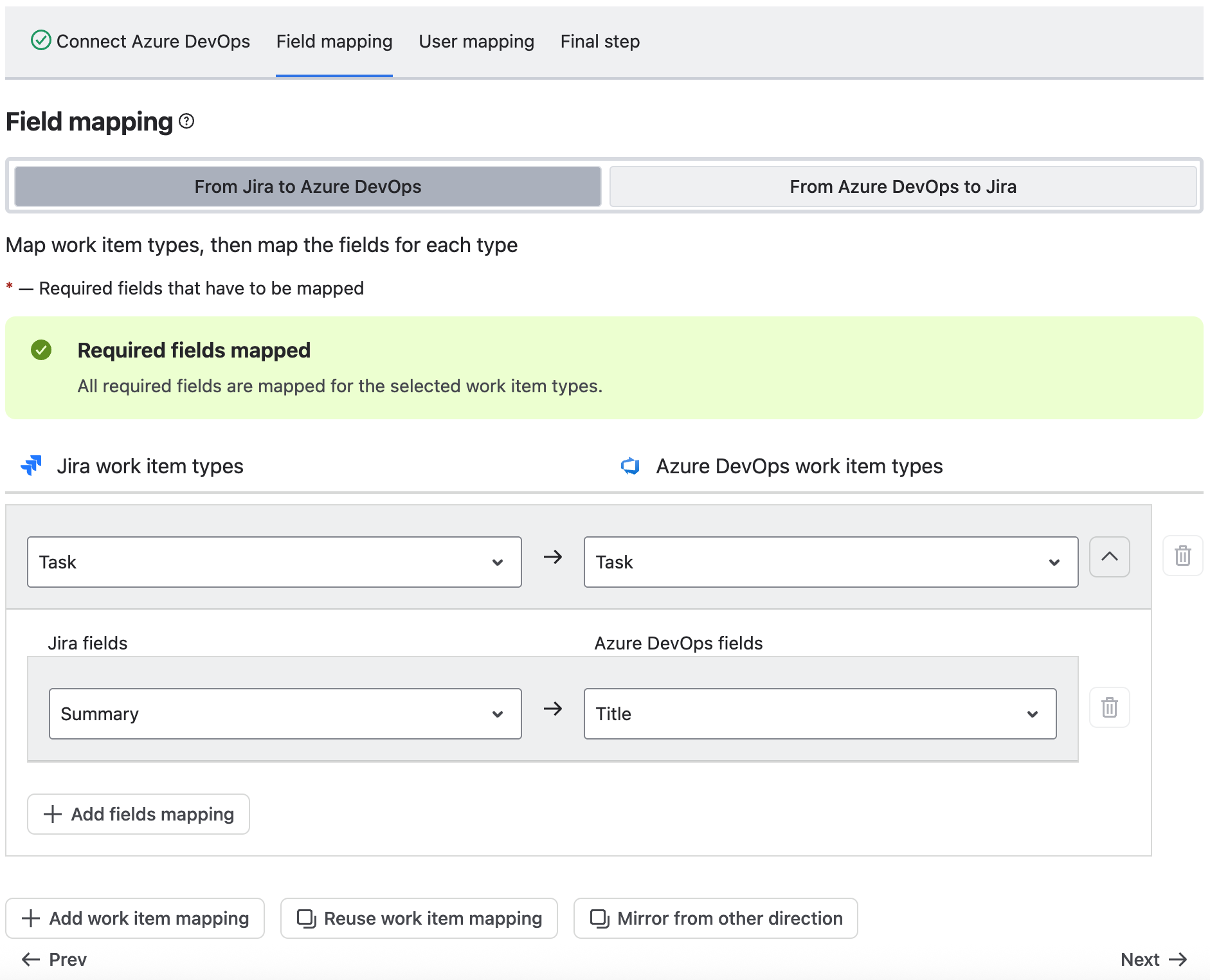
Step 4. Turn on comments and attachments
Two toggles: Synchronize comments and Synchronize attachments. Switch on the ones you need.
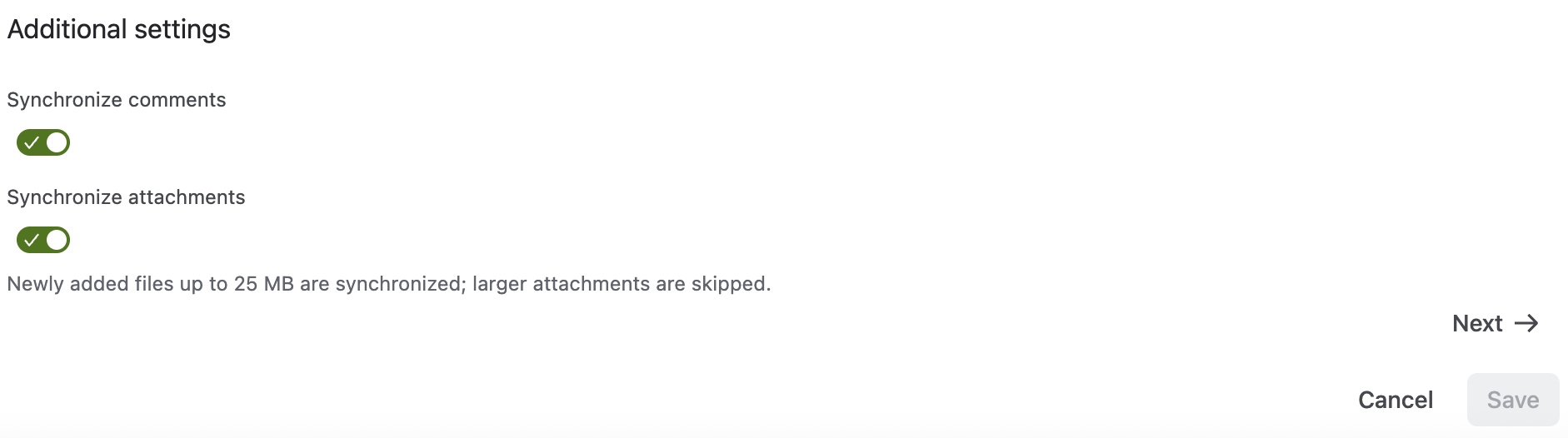
Step 5. Map users (optional)
Add user mappings to pair each Jira user with their Azure DevOps account, so assignees carry over. This reads your Azure DevOps team membership, so no extra token scope is needed.
Step 6. Name it and save
Give the synchronization a name and save. From now on, changes on either side update the other automatically. You can follow every run in the Activity log on the Integrations tab.
The full step-by-step guide is in our documentation: Two-way work item synchronization.
How conflicts are handled
If people edit the same item on both sides, each field is resolved on its own, on a last-write-wins basis: whichever system a field was edited on most recently is what you see everywhere. The app also recognizes the changes it made itself, so an update synced from Jira to Azure DevOps never bounces back to Jira as a new edit.
Good to know
- Pick the direction up front. A synchronization's direction is fixed when you create it. To make an existing one-way sync two-way, create a new "Both directions" synchronization.
- Attachments need Azure DevOps Cloud. Attachment sync works over a direct Azure DevOps Cloud connection, for new files up to 25 MB. It isn't available for Azure DevOps Server (on-premises) yet, and deleting a file on one side isn't mirrored to the other.
- Works alongside everything else. Two-way sync sits next to the features you already use: commits, branches, pull requests, builds and deployments in the Jira development panel, plus smart commits. See the full list in Azure DevOps for Jira app and integration features.
Keep reading
- How to integrate Azure DevOps with Jira: step-by-step guide
- Jira Automation with Azure DevOps: complete guide
- Azure DevOps plugins for Jira: top integrations in 2026
- Azure DevOps vs Jira: complete comparison guide
Try two-way sync today
Two-way sync is available now in Azure DevOps for Jira. Install it from the Atlassian Marketplace, start a free trial and have your first synchronization running in minutes.
Want to see more first? Visit the Azure DevOps for Jira product page or read the Azure DevOps for Jira documentation.
.png)