If you build apps on Atlassian Cloud, you already know Connect is going away and everything has to land on Forge. We saw the deadlines coming and moved five of our apps to become eligible for running on Forge in two months. Here's how we did it, what worked and all the quirks we ran into.
At Move Work Forward we are building integration apps that connect Jira and Confluence to tools like Microsoft Teams, Google Chat, GitLab, and Azure DevOps — 35+ apps in total, used by 7,500+ organizations. The five we migrated were:
- Advanced Microsoft Teams Connector for Jira
- Advanced Microsoft Teams Connector for Confluence
- Azure DevOps for Jira
- Azure DevOps for Confluence
- Google Chat for Jira
Why did we decide to migrate
A few things pushed us to start the migration process:
- The Connect update deadline: Once the deadline hit there was no more possibility of pushing an update to the Connect app.
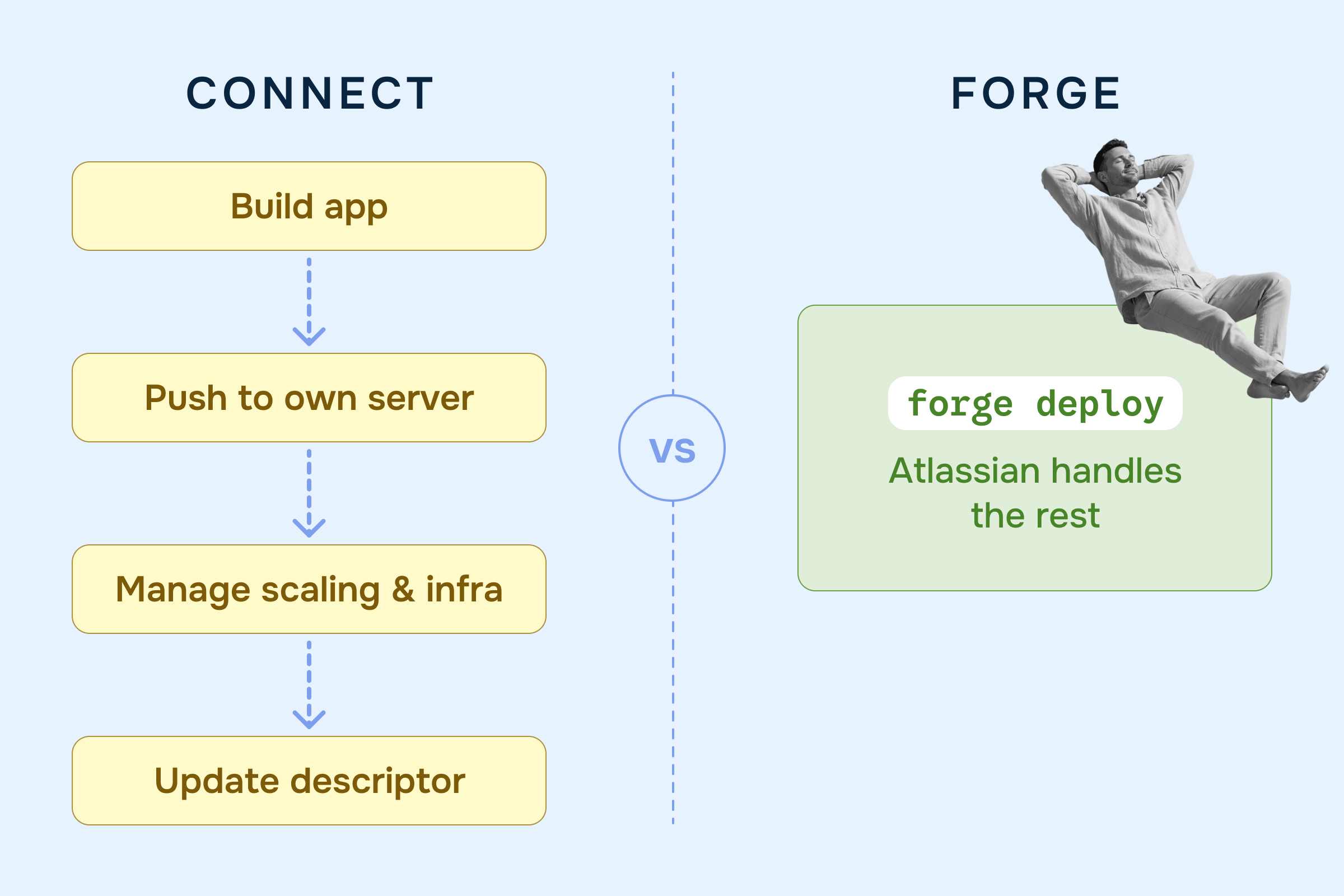
- Atlassian runs the infrastructure: Hosting, scaling, auth and data residency — everything is now handled by Atlassian. For a small team like us this is a real speed up.
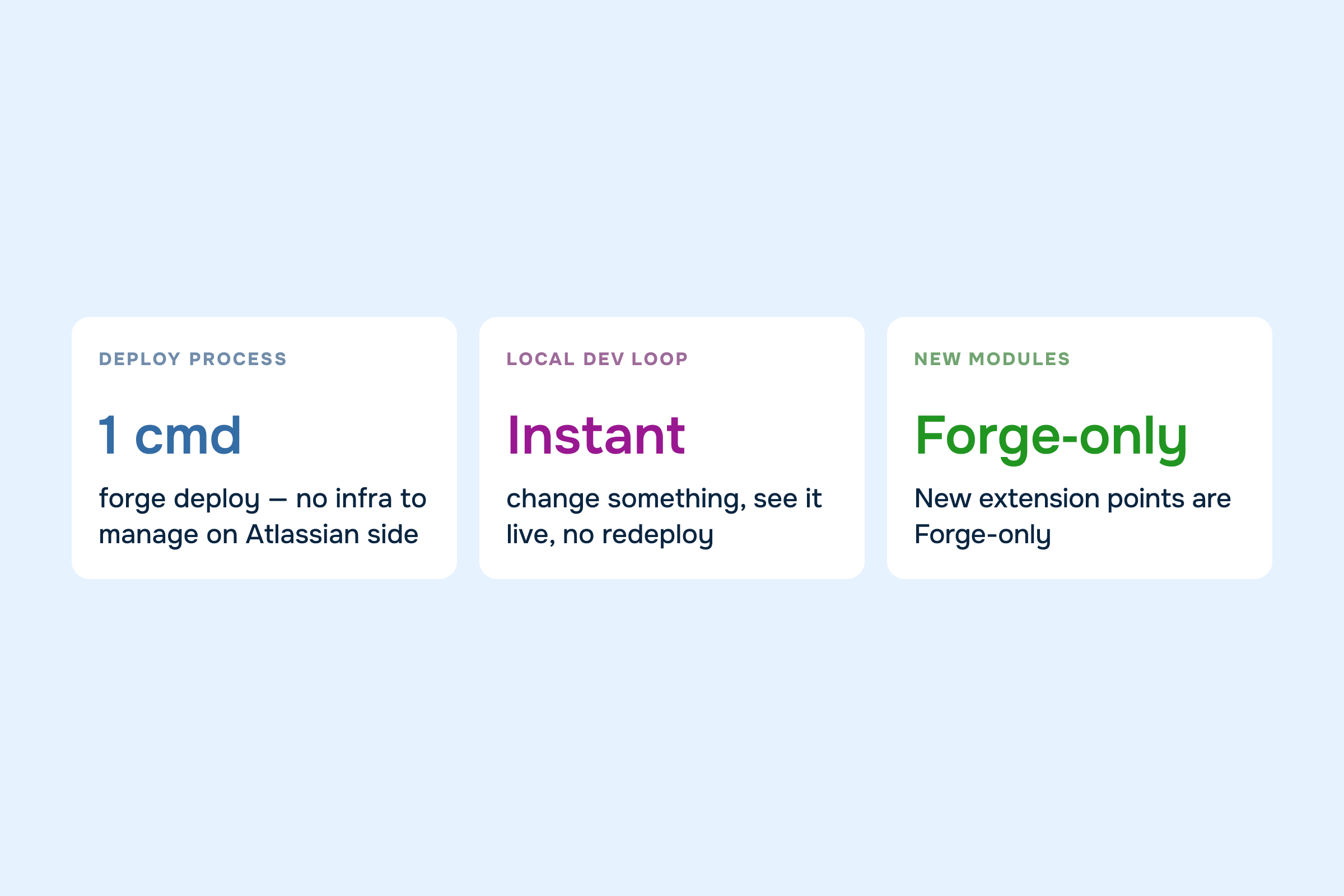
- New modules are Forge-only: Atlassian stopped building new extension points for Connect — this means any new modules that we wanted to use would have to be on Forge.
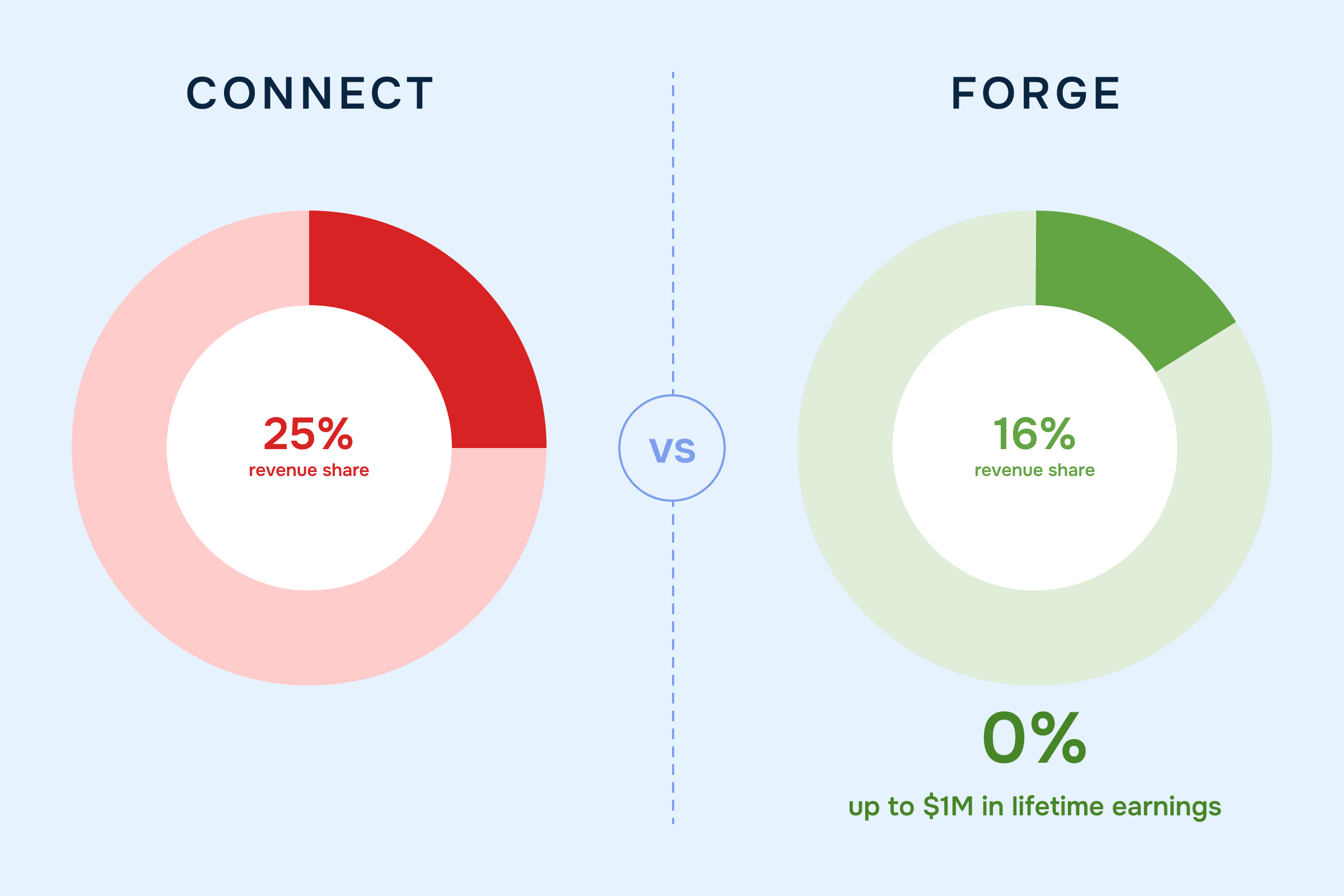
- The revenue share gap is widening: Connect share goes up to 25% while Forge stays at 16–17%. Forge apps also get 0% revenue share up to $1M in lifetime Forge earnings.
What actually changes when you move to Forge
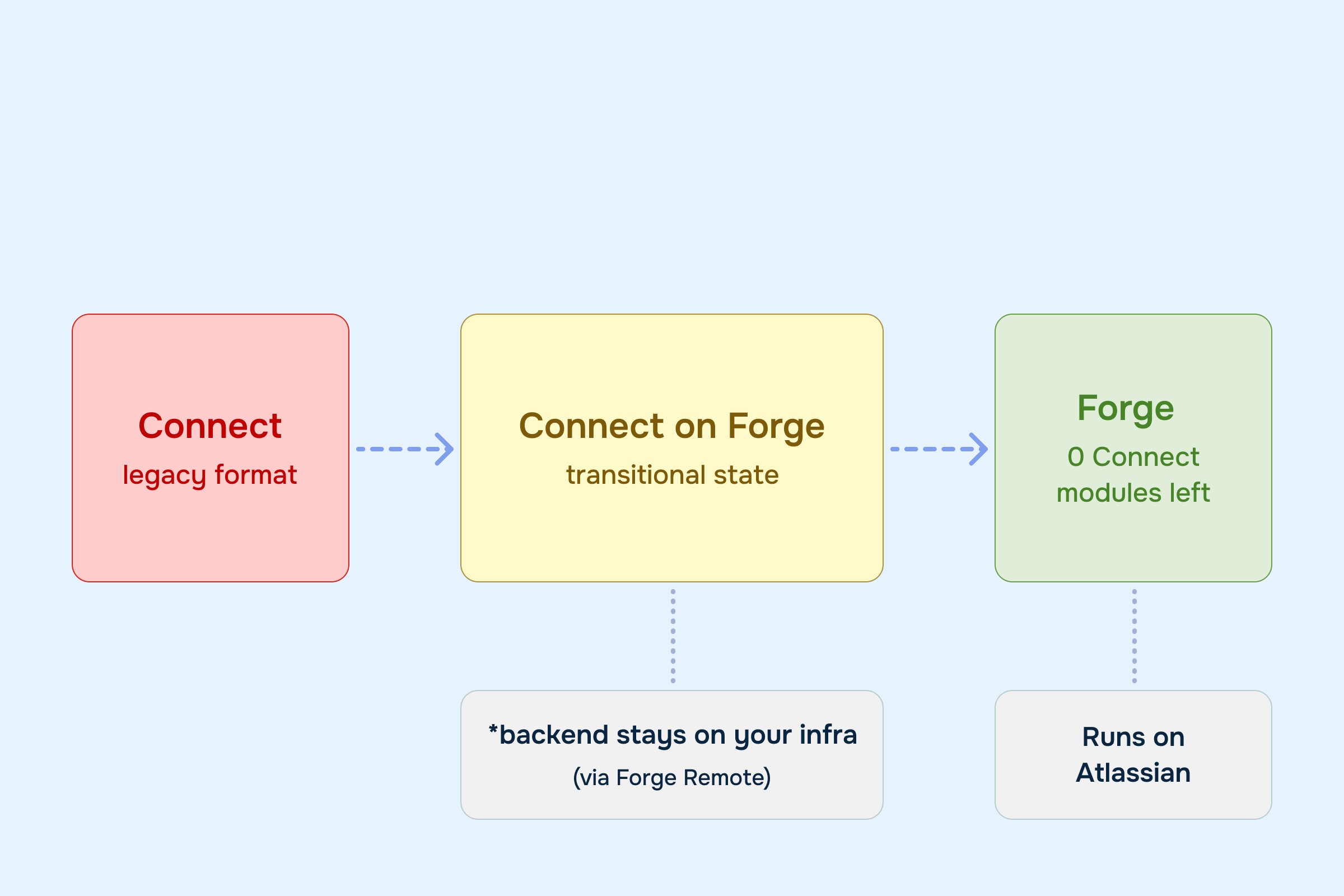
You don't actually have to rewrite your whole app to move to Forge. There's an in-between state called Connect on Forge where your existing Connect modules keep working, but the app is wrapped in Forge's tooling — allowing us to add Forge modules on top of our Connect ones. That's where every one of our apps started.
What changes on day one:
- Forge manifest: The
atlassian-connect.jsondescriptor now becomesmanifest.yml. Connect modules are placed in theconnectModulesblock. - Forge CLI: In order to update our app manifest (e.g. when adding/changing a module) we now do it via the Forge CLI — we use the
forge deploycommand to upload a new version after our changes, and minor updates are applied to all customers almost instantaneously. - The app gets a Forge App ID and is registered in Atlassian's Developer Console.
What doesn't change: your backend, UI code, infrastructure… The Connect modules still run the same way.
You can read more about adopting Forge from Connect in the official developer documentation.
One caveat: as long as you have any Connect modules left, the app counts as a Connect app, not a Forge app. Revenue share only kicks in once every Connect module is gone. Connect on Forge is the bridge to help us migrate, not the destination — and that's the bar we set for ourselves. All five apps now ship with no Connect modules left.
How we actually did it
After converting all of our apps to Connect on Forge, we started thinking about how to migrate further and fully qualify as Forge in the most efficient way. After some research and team discussion, we made the following decisions:
- Our backend and storage stay where they are — on AWS.
- Our backend API endpoints get modified to support calls from both Connect and Forge.
- Our React frontend moves to Forge using Custom UI.
- We use Forge Remotes to communicate with our existing backend.
- After the first migration, we lean on AI to speed up the rest — based on the patterns we established the first time around.
With those decided, and a few useful insights picked up from other marketplace partners at AtlasCamp 2026, we started. Our engineering team is four developers, so we ran two devs per app and kept collaborating to share useful findings and patterns.
Tenant identity was the first thing to sort out. In Connect, every tenant is identified by clientKey. Forge doesn't have that — it uses cloudId. We wrote a script that walked our existing Connect tenants, called <atlassian-base-url>/_edge/tenant_info for each, and built a mapping table. From there, the rule was simple: if we found a clientKey mapping, that stays the source of truth (backwards compatible with existing Connect tenants); if not, the tenant is Forge-only and cloudId becomes primary.
Then the middleware. It detects whether a request came from Connect or Forge and authorizes accordingly. Anywhere we'd been using clientKey as the multi-tenancy primary key, we updated to use the mapping logic above.
Frontend was the longest part of every app. We went module by module — for each Connect module we built a Forge equivalent, swapped it in, and removed the Connect one. Along the way we adjusted React code to use Forge-specific packages and reworked how we display pages, modals, and banners to use the Forge-native approach.
Last step: clean up the manifest. Remove the Connect remote, drop the JWT auth references, run forge deploy. Done.
That was the pattern for all five apps. It worked — but not without a few gotchas, which we'll get into next.
The hard parts
Migrations went smoothly overall, but a few things slowed us down or required rethinking.
- Base Atlassian API endpoints changed: You can't call
<atlassian-base-url>/wiki/rest/api/with Forge JWT tokens anymore. The Forge JWT carries a claim with the REST API URL you have to use as a base. We modified our Jira and Confluence clients to support both. - Calling Atlassian APIs from background jobs: The install payload is gone, and so is the
sharedSecretwe used to generate tenant JWTs. We worked around it with a Scheduled Trigger module in each app that hits one of our endpoints every hour and caches a fresh Forge JWT on our backend (Forge JWTs are valid for one hour). - Major upgrades are risky: Major upgrades have to be triggered manually by the customer, and most customers don't do it often — meaning they can sit on old versions for years. To avoid accidental major version bumps, we publish with the
--major-versionflag in the Forge CLI so we're always pushing to the version we intend. - Mapping permissions: Connect has a small set of broad permissions; Forge has many more, finer-grained ones. We used the Atlassian Migration Permission Table to figure out the equivalents. Changing permissions triggers a major upgrade, but since we weren't elevating any, we could run a bulk upgrade to push the new versions to customers automatically.
- Forge function timeouts: Our backend requests now go through Forge functions, which have a 25-second timeout. A few of our endpoints needed optimization to fit under it.
- External libraries that rely on popups: A lot of our apps integrate with third-party services and use external packages so we don't reinvent the wheel. The Microsoft Authentication Library is one — it worked fine in Connect UI, but Forge blocks popups, so we had to rewrite our Microsoft auth flow.
The payoff
A few months in, here's what we got out of it:
- Deploys are easier:
forge deployand that's it. No infra to manage on the Atlassian side. - Local dev is faster: Forge tunnel is quick — change something, see it on the dev site, no redeploy.
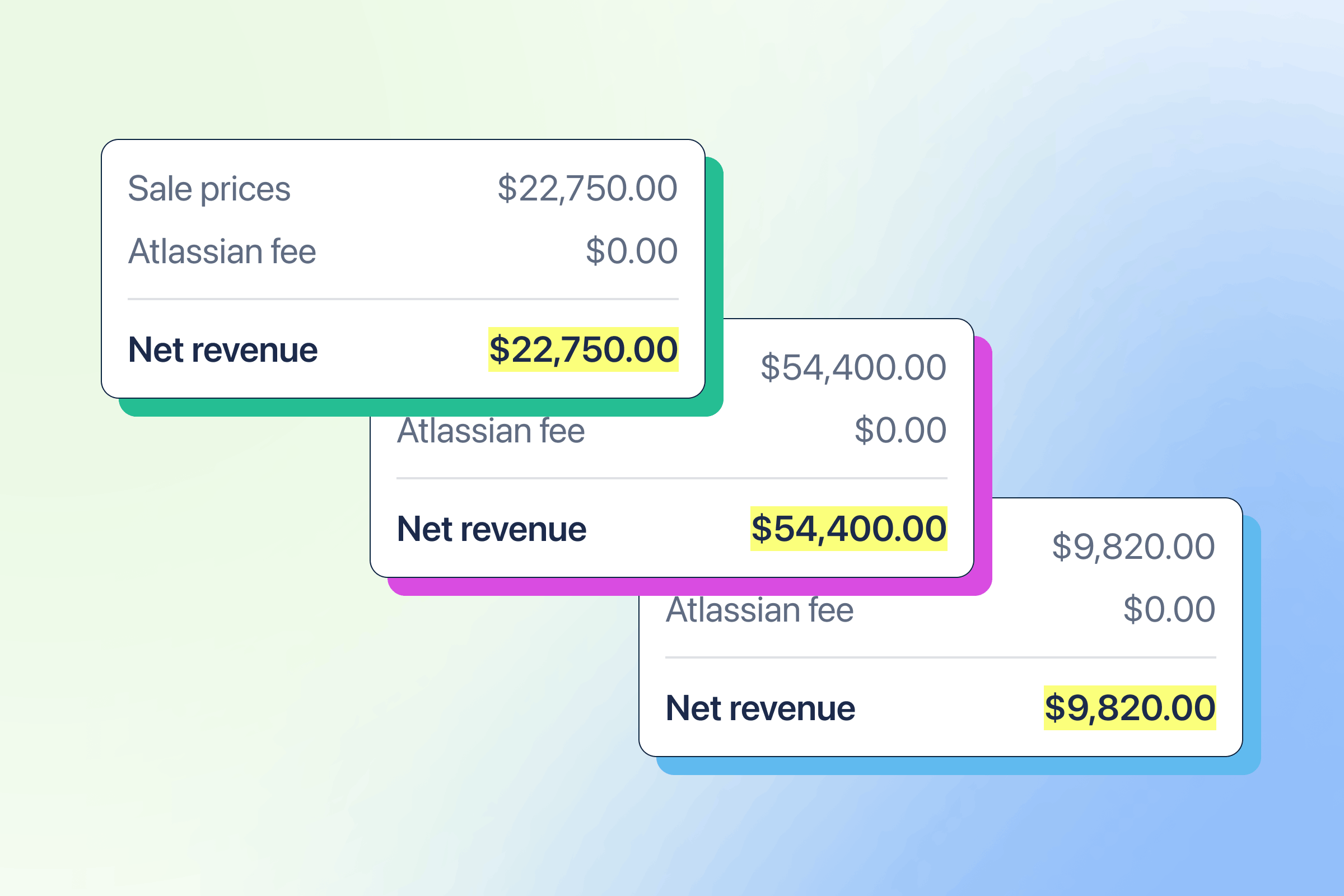
- 0% revenue share until we hit $1M in Forge earnings: all five apps now count toward it.
- We can use the new modules: everything Atlassian ships now is Forge-only. We're not stuck waiting anymore.
Day to day, it's just nicer to work with from a developer's experience perspective. Some quirks, but Forge beats Connect.
What's next for us
The migration is done, but there's more we want to do now that we're on Forge:
- Move the backend to Forge too: right now our compute and storage still live on AWS, with Forge Remote bridging the two. Long term we want the whole thing on Forge in order to have fewer moving parts and less infrastructure to maintain.
- Try the Rovo Agent modules: Forge unlocked these for us, and we're curious what we can build with them.
If you're partway through your own migration, we'd love to hear how it's going — what worked, what didn't, what we should have done differently. Drop a comment or reach out.