





















Back
View all
All posts

Confluence CAD Integration: Manage and View CAD Files in Confluence

February 25, 2026
No items found.
<a href="https://www.freepik.com/free-vector/business-team-brainstorm-idea-lightbulb-from-jigsaw-working-team-collaboration-enterprise-cooperation-colleagues-mutual-assistance-concept-pinkish-coral-bluevector-isolated-illustration_11667116.htm#query=collaboration&position=2&from_view=keyword&track=sph&uuid=21ea3c1d-7461-49c7-9157-5822c4372896">Image by vectorjuice</a> on Freepik

Engineering, architecture, and design teams rely on CAD files to communicate complex ideas. But sharing these files in documentation platforms can be painful - especially when stakeholders don’t have access to expensive CAD software.

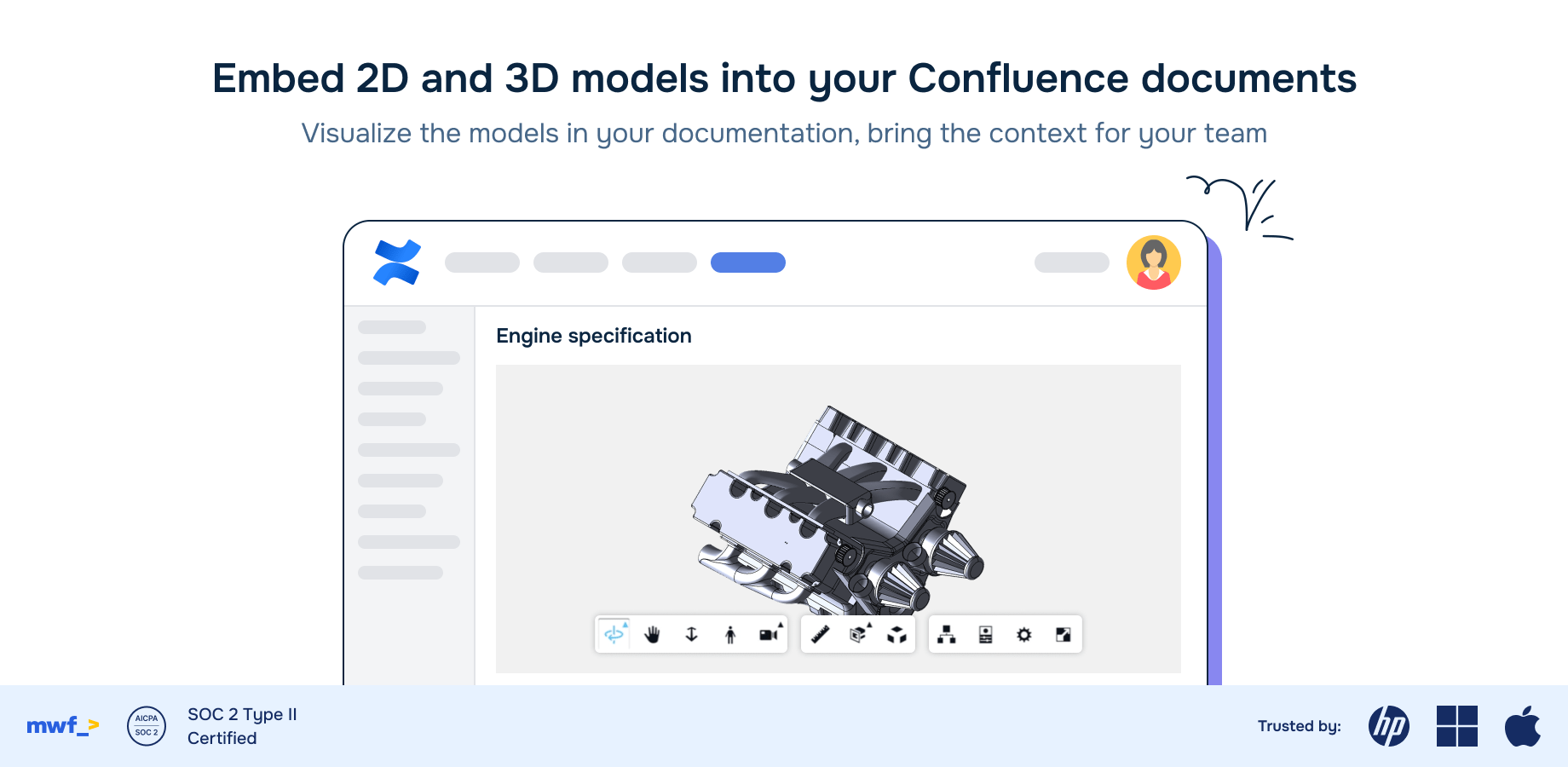
Confluence CAD integration solves this problem by letting teams embed, view, and collaborate on CAD files directly within Confluence.

What Is Confluence CAD Integration?

Confluence CAD integration enables teams to embed, view, and interact with 2D and 3D CAD models right inside Confluence pages. Instead of juggling multiple tools or converting file formats, users can zoom, rotate, and inspect models directly in their browser - no plugins or desktop software required.

Key Benefits

  • Centralized Documentation
    Store drawings, models, and related content in one place for easy reference and knowledge sharing.
  • Frictionless Collaboration
    Engineers, designers, and non-technical stakeholders can review models together without needing CAD software.
  • Version Control
    Track revisions, organize files by project, and ensure everyone is always aligned on the latest version.
  • Enterprise-Grade Security
    Many integrations are provided by SOC 2 Type II–certified vendors, ensuring CAD data is handled securely and in compliance with industry standards.

Supported CAD File Formats

Modern integrations support a wide variety of CAD files, including:

  • 2D Drawings: DWG, DXF
  • 3D Models: STEP, IGES, STL, FBX, OBJ
  • BIM & Engineering: Revit, SolidWorks, CATIA, Inventor, Fusion 360, AutoCAD
  • …and more

This broad compatibility eliminates file conversion headaches and keeps workflows smooth.

How It Works

  1. Embed CAD Models
    Upload files or link them from storage. The integration renders interactive models directly on Confluence pages.
  2. Interact with Models
    Users can view, zoom, rotate, and explore CAD data in 2D or 3D within their browser.
  3. Organize and Track
    Use built-in catalogues to organize files, track revisions, and maintain project clarity.

Use Cases

  • Engineering Project Documentation
    Keep all designs and technical drawings accessible to the entire project team.
  • Design Reviews
    Run interactive walkthroughs, collect feedback, and reduce review cycles-all within Confluence.
  • Knowledge Sharing
    Make complex CAD content easy for non-technical stakeholders to understand, improving cross-team communication.

Getting Started

To enable CAD in Confluence:

  • Explore apps and plugins on the Atlassian Marketplace.
  • Check support for your required file formats.
  • Prioritize solutions with strong security credentials and responsive support.

With the right integration, your Confluence workspace can become the single source of truth for both documentation and CAD assets.

Articles you might like

Move Work Forward Expands to Autodesk App Store with New Acquisitions
February 25, 2026
Move Work Forward Expands to Autodesk App Store with New Acquisitions
Move Work Forward is expanding its reach into the Autodesk ecosystem with the acquisition of two powerful applications designed to enhance workflows for Autodesk Inventor users. This marks a significant step in our mission to streamline collaboration and efficiency across leading software platforms.
Read more >
Shaping the Future: Move Work Forward at the Autodesk Developer Conference in Amsterdam
February 25, 2026
Shaping the Future: Move Work Forward at the Autodesk Developer Conference in Amsterdam
Move Work Forward will continue to invest in connecting Autodesk with Atlassian, Microsoft, and Google Workspace tools. We're focused on creating seamless integrations that eliminate friction and help teams collaborate more effectively.
Read more >
5 Mistakes Every Confluence User Should Avoid
February 25, 2026
5 Mistakes Every Confluence User Should Avoid
Do you or your team use Confluence? How do you ensure that your Confluence space becomes a sanctuary where your team thrives? In this blog post, we'll delve into common mistakes Confluence users and admins make and then provide recommendations that help avoid those mistakes. This short guide would make you as good as a Confluence admin. Let's go!
Read more >

Articles you might like

New blog posts

Free Confluence Templates and Blueprints To Streamline Development Processes
February 25, 2026
Free Confluence Templates and Blueprints To Streamline Development Processes
Learn some tips when selecting a template for Confluence page & get free example of the templates to streamline your team's development processes here.
Read more >
Connecting Atlassian and Microsoft Teams: The Ultimate Guide for Improved Collaboration and Efficiency
February 25, 2026
Connecting Atlassian and Microsoft Teams: The Ultimate Guide for Improved Collaboration and Efficiency
Read more >
Unleashing the Power of Team Offsites: A Journey to Innovation and Growth in Barcelona
February 25, 2026
Unleashing the Power of Team Offsites: A Journey to Innovation and Growth in Barcelona
Read more >
Get productivity tips delivered straight to your inbox
Thank you! Your submission has been received!
Oops! Something went wrong while submitting the form.
Atlassian Logo
Platinum Marketplace Partner
AICPA Logo
SOC 2 Type II Certified
Gitlab Logo
GitLab Official partner
EU GDPR Logo
EU GDPR Compliant
Google Logo
Google Partner
Microsoft Logo
Microsoft Partner